


オルクログ BLOG
2026.08.17
It's Not Just About Video Equipment! The Importance of HDDs and What to Keep in Mind
Hello everyone!
This is Katsuo from Olq
In today's blog, I'd like to introduce something a little different from the video and audio equipment we've covered so far.
Ta-da!!!
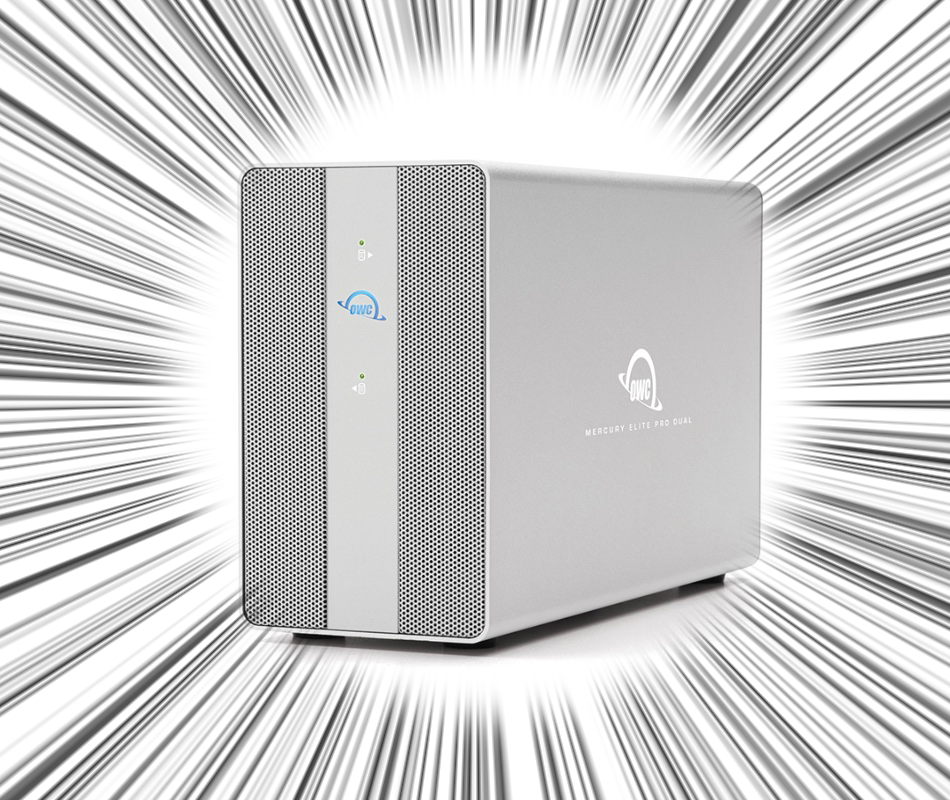
It's the HDD(Hard Disk Drive)「 RAID HDD 」!
Just recording video isn't enough to complete a project, right?
Your footage only comes together after it's been edited and stored.
That's where an HDD plays an important role by safely storing your data, making it one of the most frequently rented pieces of equipment we offer.
That said, HDDs are also delicate devices. If they're used incorrectly, they can lead to serious problems.
This time, I'd like to cover the basics of HDDs along with some important points to keep in mind when using them.
Now then, let's get started!
What exactly is an HDD?
You hear the term HDD quite often, but do you know what it is?
Since I had only thought of it as a device for storing memories, I decided to look into it starting with the basics.
First of all, an HDD is one type of storage device used to save data.
It's a recording device designed to store data from computers, televisions, and other devices over the long term.
In the video production industry, you can think of it as the place where video and audio data are stored.
The structure of a hard disk drive (HDD) involves spinning a disk (called a "platter") at high speed, while a device called a "magnetic head" reads and writes data to and from it.
One of its characteristics is that, whilst it can store large amounts of data, it is vulnerable to impact.
Besides HDDs, you've probably also heard of another type of storage device called「 SSD(Solid State Drive)」.
So, what's the difference between an HDD and an SSD?
Both HDDs and SSDs serve essentially the same purpose; they store your data. The difference lies in how they're built and how they perform.
An SSD receives data through an SSD controller, then reads and writes that data using NAND flash memory.
Since there are no moving parts like the spinning disks inside an HDD, SSDs are generally much faster and much more resistant to physical shock.
If you need to move data around quickly while traveling, an SSD is a great choice.
If your priority is storing a large amount of data, an HDD is usually the better option.
Generally speaking, SSDs also cost more per unit of storage than HDDs, so your choice often comes down to how you plan to use it and your personal preference.
Since today's topic is HDDs, let's take a closer look at them.
What is a RAID HDD?
The HDDs we offer are RAID HDD(Raid Hard Disk Drives).
But what exactly does RAID mean?
RAID (Redundant Arrays of Inexpensive Disks) is a technology that combines multiple HDDs (hard disk drives) so that they are recognized as a single drive.
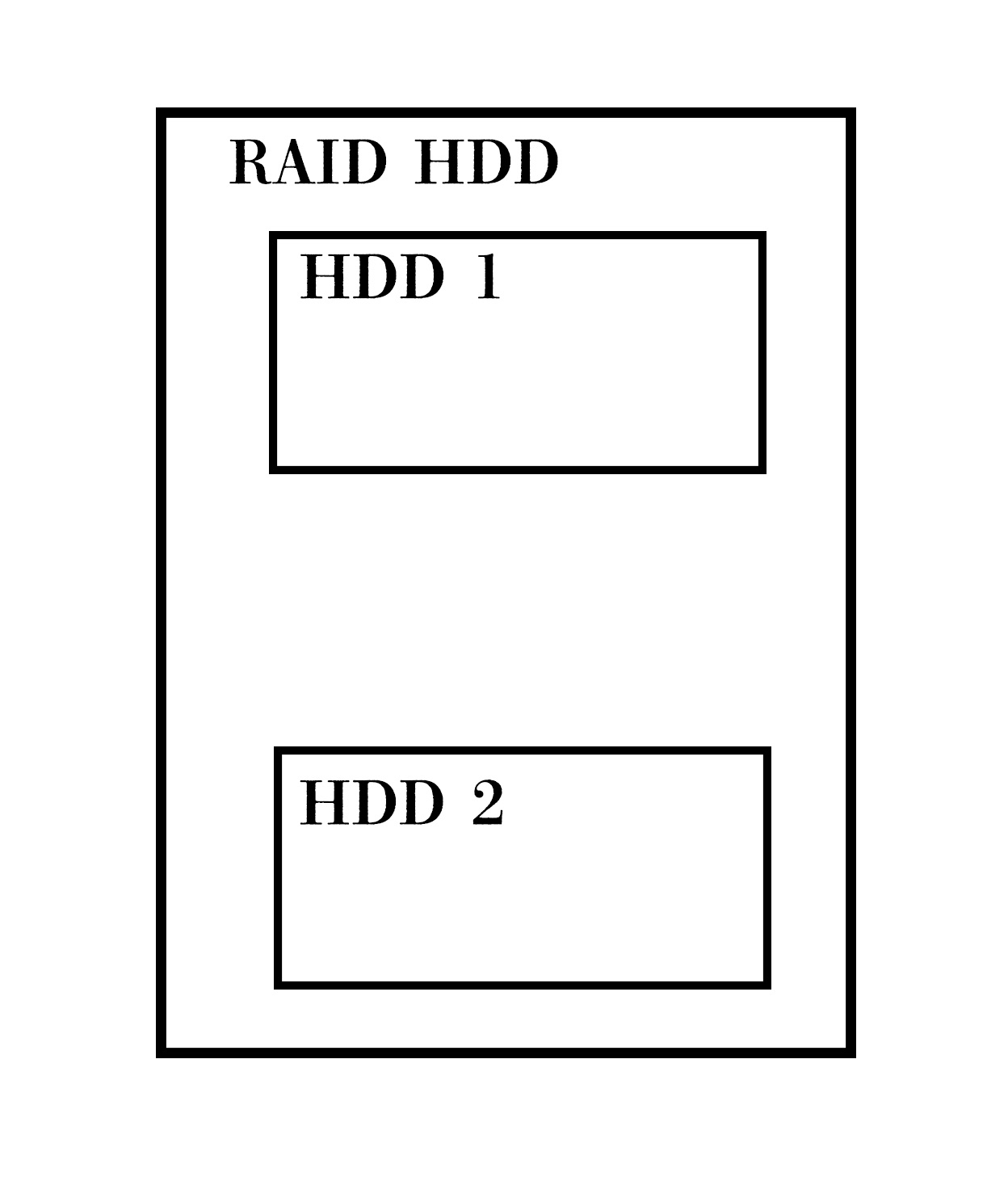
There are actually several types of RAID hard drives, and the ones we offer are RAID 0 (striping) and RAID 1 (mirroring).
What are the roles of each of these?
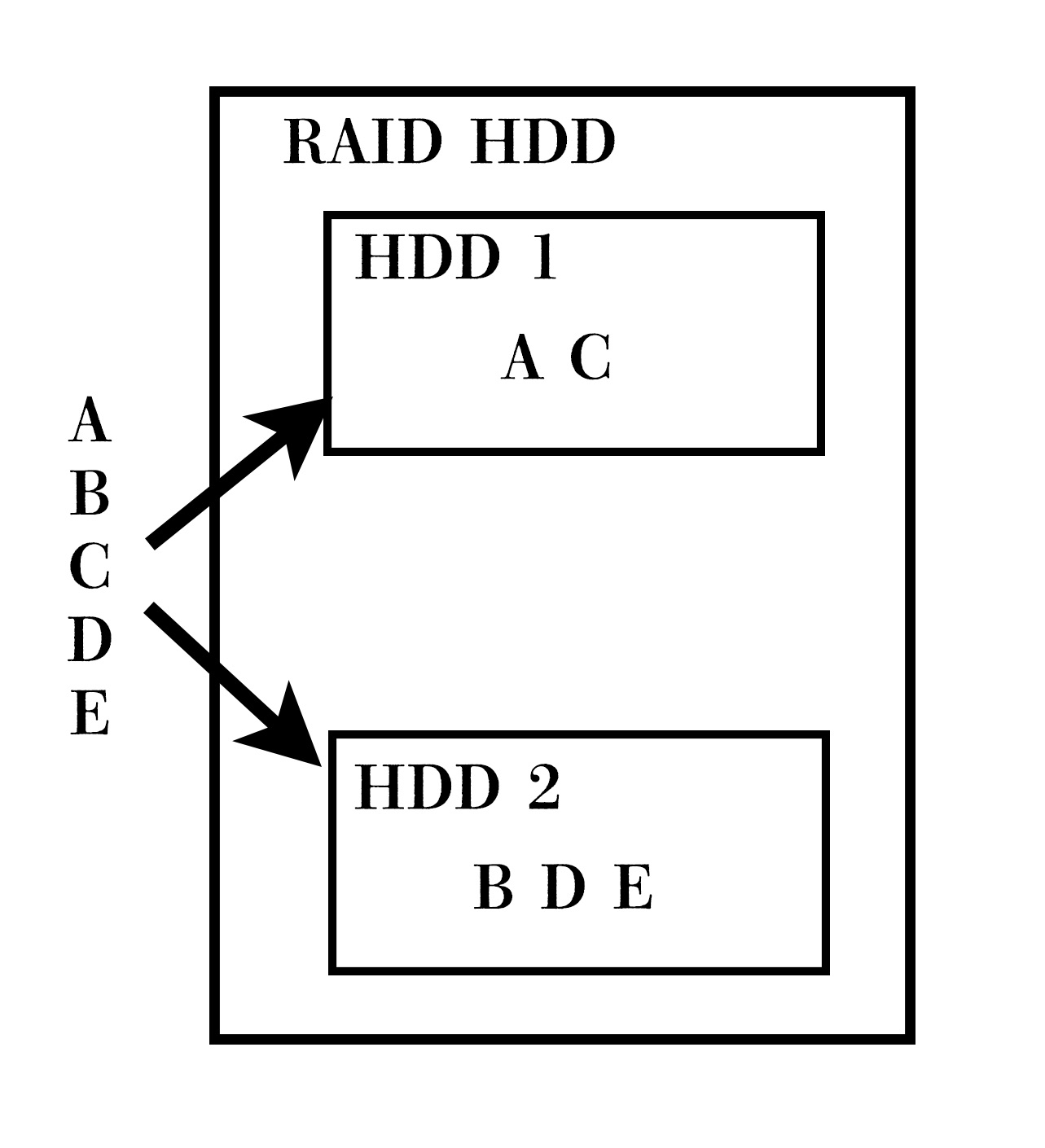
◉RAID0(Striping)
RAID0, also known as striping, divides data into blocks and writes them simultaneously to multiple disks; thus, efficiently improving read and write speeds.
In terms of storage capacity, the actual capacity of the RAID HDD is the sum of the capacities of the individual HDDs.
※If there are two 2TB HDDs, the RAID HDD will have a capacity of 2TB × 2 = 4TB.
However, if even one of the HDDs fails, you may lose access to all of your data, making recovery impossible. Because of this, RAID 0 offers less protection against hardware failure.
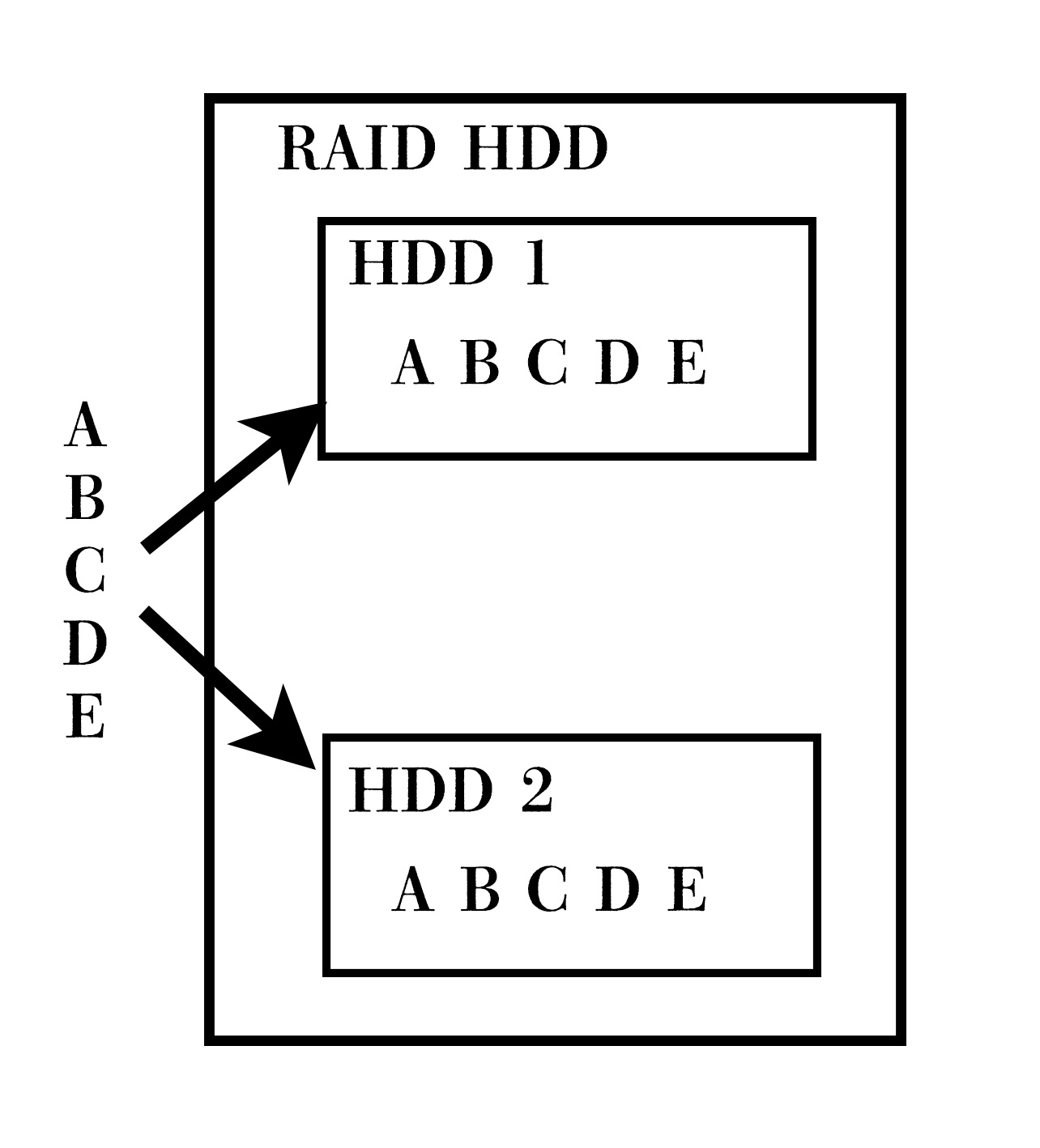
◉RAID1(Mirroring)
RAID1, known as mirroring, guarantees that all data can be retrieved even if one of the hard drives fails by duplicating the same data and writing it to two disks simultaneously.
※If both HDDs fail, however, this is no longer guaranteed.
In terms of actual storage capacity, as the same data is stored redundantly across multiple hard drives, the effective capacity is halved (50%).
※If there are two 2TB HDDs (2TB × 2 = 4TB) but half (50%) of that is used for mirroring, the actual usable capacity is 2TB.
In terms of data security, RAID 1 offers higher reliability. However, because the same data is written to two HDDs, its efficiency is lower than RAID 0 (Striping).
RAID 0 (striping) offers superior performance, whilst RAID 1 (mirroring) offers superior reliability.
(There are many other types of RAID, but as we do not stock them, we shall omit them here.)
Let's take a look at our company's「 RAID HDD 」 as an example.
Our company has RAID HDDs ranging from 8 TB to 48 TB.
For example, if we compare striping and mirroring for 24TB RAID HDDs with the same capacity,
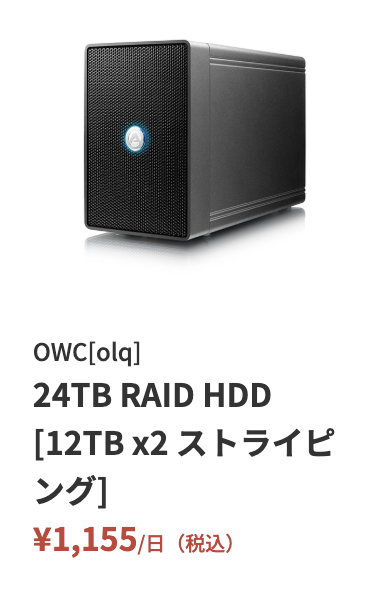
since a 24TB striping configuration contains two 12TB HDDs [12TB × 2 striping],
the actual capacity is the sum of the two drives: 12TB × 2 = 24TB.
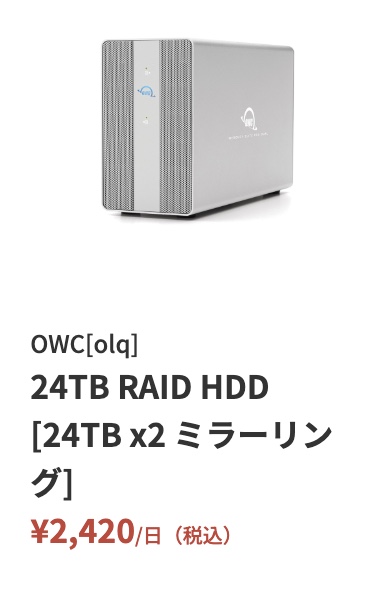
On the other hand, the 24TB mirrored configuration includes two built-in 24TB HDDs [24TB × 2, mirrored], but
since the actual capacity is equivalent to one drive (50%), half (50%) of [24TB × 2 = 48TB] is 24TB.
In the case of mirroring, it says [24TB × 2], so it’s easy to mistakenly assume that the total capacity is 48TB, but
the actual capacity is 24TB, so please be careful.
If you look solely at price, a 24TB RAID HDD configuration using striping [12TB × 2] is cheaper than mirroring, so you might be tempted to choose striping. However, as mentioned earlier, since striping distributes data across multiple disks, it carries a higher risk in the event of a failure.
If you want to manage your data more securely, we recommend choosing mirroring configuration, even if you're using the same 24TB RAID HDDs.
Of course, this is only in the unlikely event that an HDD malfunctions; therefore, we ensure that all RAID HDDs we own—whether configured with mirroring or striping—are in perfect working order before delivery.
Precautions when using RAID HDD
We’ve covered the basics of RAID hard drives so far, so let’s now take a look at some points to keep in mind when actually using them.
First and foremost, you should be aware of physical malfunctions.
Although I mentioned that RAID 1 (mirroring) offers greater reliability than RAID 0 (striping), the product itself may be damaged if the power cord is unplugged improperly or if the device is subjected to physical impact (such as being dropped or submerged in water).
When transporting the item, you must place it in the dedicated hard case provided by our company to ensure it is transported safely.
In addition, while the hard drives we provide are equipped with quiet fans to address heat issues, there is a slight risk of overheating problems occurring during continuous use. Therefore, you should avoid using them in enclosed spaces and ensure there is at least 10 cm of clearance around the unit.
In either case, it is important to handle the item carefully in a safe place.
As a practical consideration, there’s the issue of the type of computer you’re connecting (Mac or Windows).
The RAID HDDs we provide are shipped in a Mac-compatible format by default, but we can also ship them in a Windows-compatible format (exFAT).
Since exFAT allows you to read and write data on both Windows and Mac, it’s best to format the drive as exFAT if you plan to use it with both operating systems.
We will accommodate any specific requests you make when placing your order.
Also, please be careful not to accidentally delete your data just because RAID 1 (mirroring) offers a high level of security.
Since data is replicated across multiple hard drives during mirroring, people often mistakenly believe that even if a single file is accidentally deleted, it can be restored; however, this functionality does not actually exist, so caution is required.
In the unlikely event that a problem arises while using the rental item, please stop using it to prevent the situation from worsening and contact us.
Ultimately, it's all about what's inside
So far, we’ve looked at RAID HDDs and the precautions to take with them, but ultimately, what really matters with a RAID HDD is the actual hard drives inside it.
RAID is the name of a system; it does not guarantee reliability.
In that context, the actual hard drives that are spinning are what really matter; no matter what kind of RAID configuration you set up, it’s pointless if the hard drives are faulty.
We exclusively use high-durability enterprise-class internal HDDs from Western Digital, Toshiba, and HGST.
Since these are enterprise-grade HDDs rather than consumer-grade ones, they are designed for 24/7 operation and feature high durability and the ability to withstand prolonged, continuous read/write operations.
They're more expensive than home-use HDDs, but they're much more durable and offer a whole different level of stability.
In addition, based on our experience, we are implementing measures and strategies to minimize potential problems.
First, we will not adopt any all-in-one HDD products that are sold with the case and internal HDD integrated and cannot be disassembled.
The reason is that if only the connector is defective, we are unable to provide immediate service by replacing just the housing.
In addition, to prevent data leaks, we will perform two zero-resets [two thorough erasures] after the device is returned.
Before shipping, we always perform and save S.M.A.R.T. tests and speed tests, compare the results with historical data, and exclude any units that appear likely to develop problems before they actually occur.
With this in mind, our company maintains a stock of HDDs in perfect working condition.
This means that by combining the reliability of HDDs with the RAID configuration chosen by the customer, we can provide optimal data protection.
Conclusion
In this blog post, I’ve been discussing HDDs, but approaches to data preservation vary depending on the situation and the individual.
Those who prioritize data security should opt for RAID 1 (mirroring), while those who prioritize read and write performance should opt for RAID 0 (striping).
It’s also a good idea to use RAID 1 (mirroring) for important data and RAID 0 (striping) for temporary backups.
As for data capacity, the amount needed varies depending on the project and the people handling it.
I hope this blog post will be of some help to you in choosing the best HDD for your data protection needs.
That wraps up this blog post on HDDs!
See you in the next post.
ーーーーーーーーーーーーーーーーーーーーーーーー
At Olq Inc., we primarily stock and rent out video, audio, and other equipment!
If you’re considering using our services for the first time, please
register as a member on our e-commerce site and fill out the required fields.
Feel free to contact us even if you just want to discuss equipment rental options!