


オルクログ BLOG
2026.11.06
Field Recorder Rental
ZOOM F8n Pro Rental | How Long Eight AA Batteries Last at 8ch, and When to Power It from a V-Mount
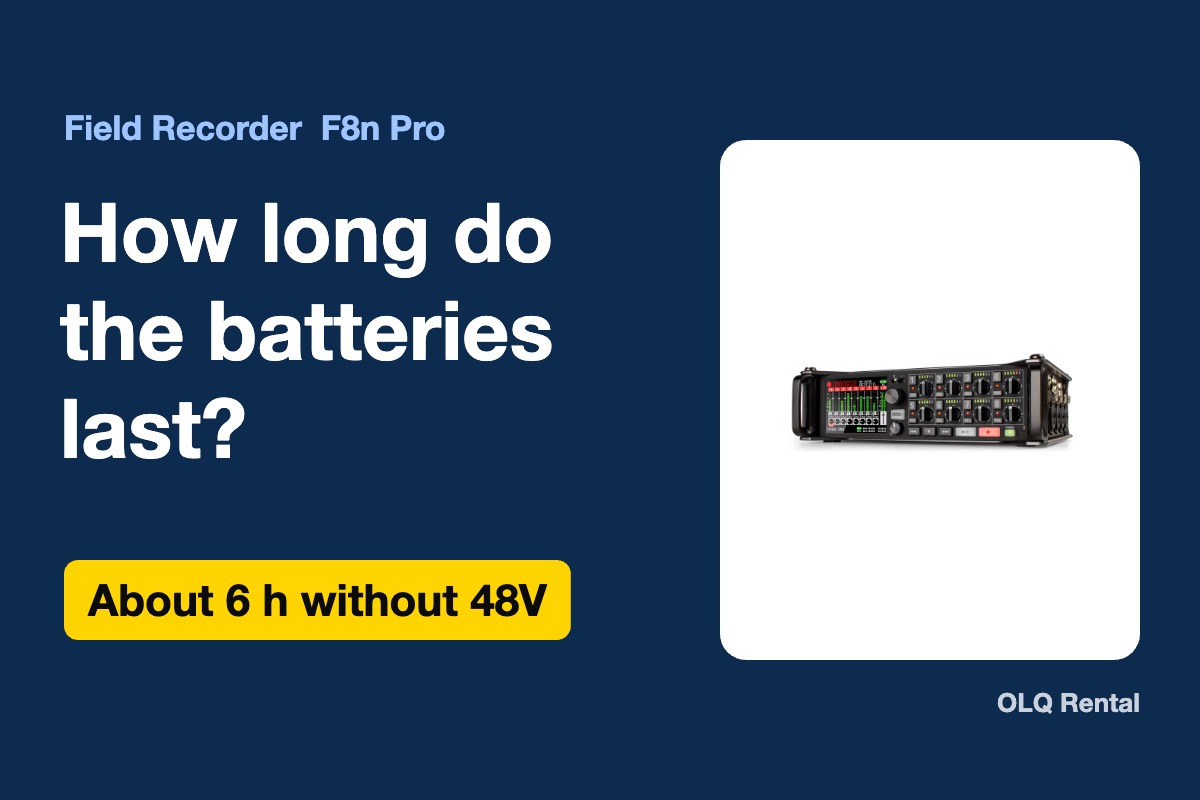
If you rent a ZOOM F8n Pro to run eight channels, the first thing to settle is power. The supplied 64GB card covers most days, so whether the shoot stops comes down to one question: how long do eight AA batteries last? Using OLQ's product page and ZOOM's official figures, this article puts that line into a single number.
What this article covers
- How long eight AA batteries last when recording 8ch at 48kHz (by battery type)
- Whether to run on AA batteries, external DC or the AC adapter, and why USB bus power is not an option
- How long the supplied 64GB card records, keeping a backup on a second card, and the gear worth renting alongside
Conclusion: about 6 hours without phantom power. On 48V days, power it from a V-mount battery
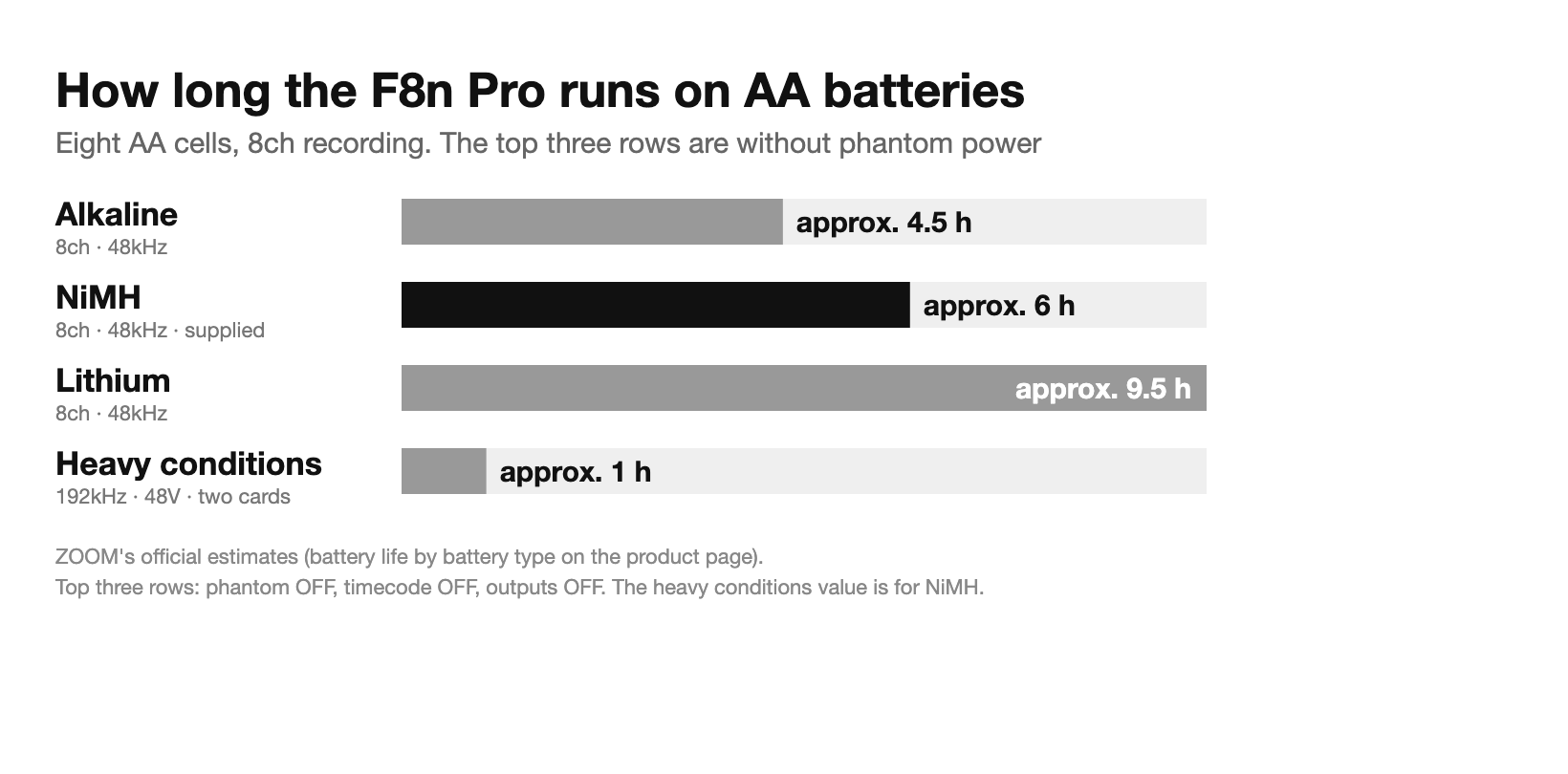
With the eight AA eneloop pro (NiMH) cells supplied with the F8n Pro [8ch Input, Up to 10 Tracks], recording 8ch at 48kHz without phantom power runs for about 6 hours. Under the same conditions, alkaline cells last about 4.5 hours and lithium about 9.5 hours. These are ZOOM's official estimates, shown on the product page in the battery life table by battery type.
That measurement, however, uses light conditions: phantom power off, timecode off, main and sub outputs off, and screen brightness at 5. Under heavy conditions (8ch at 192kHz, writing to two SD cards at once, 48V phantom on, outputs and timecode in use), the same eight AA cells drop to about 1 hour.
So there are two deciding points. On shoots that use 48V phantom power, or that run longer than six hours, plan on external DC from the start. OLQ's F8n Pro comes with a V-mount power adapter (D-Tap cable) as standard. On external DC days, draw power from a V-mount battery through this adapter. For interviews that skip 48V and finish within six hours, run on the supplied AA cells.

Three ways to power it. USB bus power is not supported
According to the product page specs, the F8n Pro runs on eight AA batteries, external DC 9 to 18V, or the AC adapter (included). It does not support USB bus power. You cannot plug in a USB power bank and run all day, so plan long shoots around external DC or the AC adapter.
For external DC, the IDX V-mount battery DUO-C198/P is a good fit. It holds 191Wh with a maximum output of 154W (14A at 11V). It has two D-Tap ports, each rated up to 80W, passing through the battery voltage. It weighs 1,100g and shows the remaining charge on a 10-step LED. The power adapter supplied with the F8n Pro uses a D-Tap cable, so it draws straight from this D-Tap. That leaves the second D-Tap free for a small low-power monitor.
Two things to watch. The first is placement. The F8n Pro package includes the D-Tap cable power adapter, and a V-mount plate for mounting the battery on the unit is also included. Being able to connect is not the same as being able to secure it on set, so plan on keeping the battery in a bag or at your feet and running the cable. The second is transport. The DUO-C198/P cannot be shipped by air, so it cannot go on location shoots that involve a flight. For those shoots, build the setup around the included AC adapter, or talk to us.

When running on AA cells, set the battery type on the unit to NiMH before you start. If it is left on another type, the remaining-charge display will be off. Then plan the run time around the device that lasts the shortest. Line up the run times of the recorder and of the camera and wireless receivers, and set your battery change time to the shorter one. Which runs out first depends on how many mics you use and how long you record, so do not tie the change rule to one particular device.
| Recording | Alkaline | NiMH | Lithium |
|---|---|---|---|
| 2ch / 48kHz | approx. 7 h | approx. 8 h | approx. 13.5 h |
| 8ch / 48kHz | approx. 4.5 h | approx. 6 h | approx. 9.5 h |
| Heavy conditions | approx. 0.5 h | approx. 1 h | approx. 2 h |
Estimates with eight AA batteries. Heavy conditions means 8ch, 192kHz, simultaneous recording to two SD cards, 48V phantom, main and sub outputs on, internal timecode and screen brightness at 60. The NiMH row was measured with 2500mAh cells, not with the supplied eneloop pro.
The supplied 64GB card is enough. Keep a backup on the second card
The recording media is two SD cards (SDHC/SDXC, up to 1TB). Estimated times for 48kHz 32-bit float WAV are below. 2 tracks is stereo; 10 tracks is 8ch plus a stereo mix.
| Capacity | 2 tracks | 8 tracks | 10 tracks |
|---|---|---|---|
| 32GB | approx. 23.1 h | approx. 5.8 h | approx. 4.6 h |
| 64GB (supplied) | approx. 46.3 h | approx. 11.6 h | approx. 9.3 h |
| 128GB | approx. 92.6 h | approx. 23.1 h | approx. 18.5 h |
| 256GB | approx. 185.2 h | approx. 46.3 h | approx. 37.0 h |
The F8n Pro comes with one 64GB SDXC card. The recording time and battery guide on the product page says this one card records about 8 hours at 10 tracks and about 40 hours in 2ch (stereo). The table above is a theoretical calculation, so the same 64GB card comes out longer, at about 9.3 hours for 10 tracks and 46.3 hours for 2 tracks. In practice, usable capacity and file management data make it shorter, so plan around the guide's figure of about 8 hours. One card covers a full day of recording.
The second slot is better used for backup than for capacity. Write the same audio to two cards at once and the recording survives even if one card cannot be read. For the backup, rent the SD Card 256GB [Extreme PRO UHS-I V30] as well, SanDisk's Extreme PRO UHS-I V30. When writing to two cards at once, the recording time is set by the smaller card. Paired with the supplied 64GB card, that is about 8 hours at 10 tracks, so on days that run longer, use 128GB or larger for both cards.
Raising the sample rate halves the recording time at 96kHz and cuts it to a quarter at 192kHz. At 192kHz you can record up to 8 tracks, so you cannot choose 192kHz on days that need 10 tracks. The "up to 10 tracks" limit applies to sample rates other than 192kHz.
Gear worth renting alongside: control, sync and audio
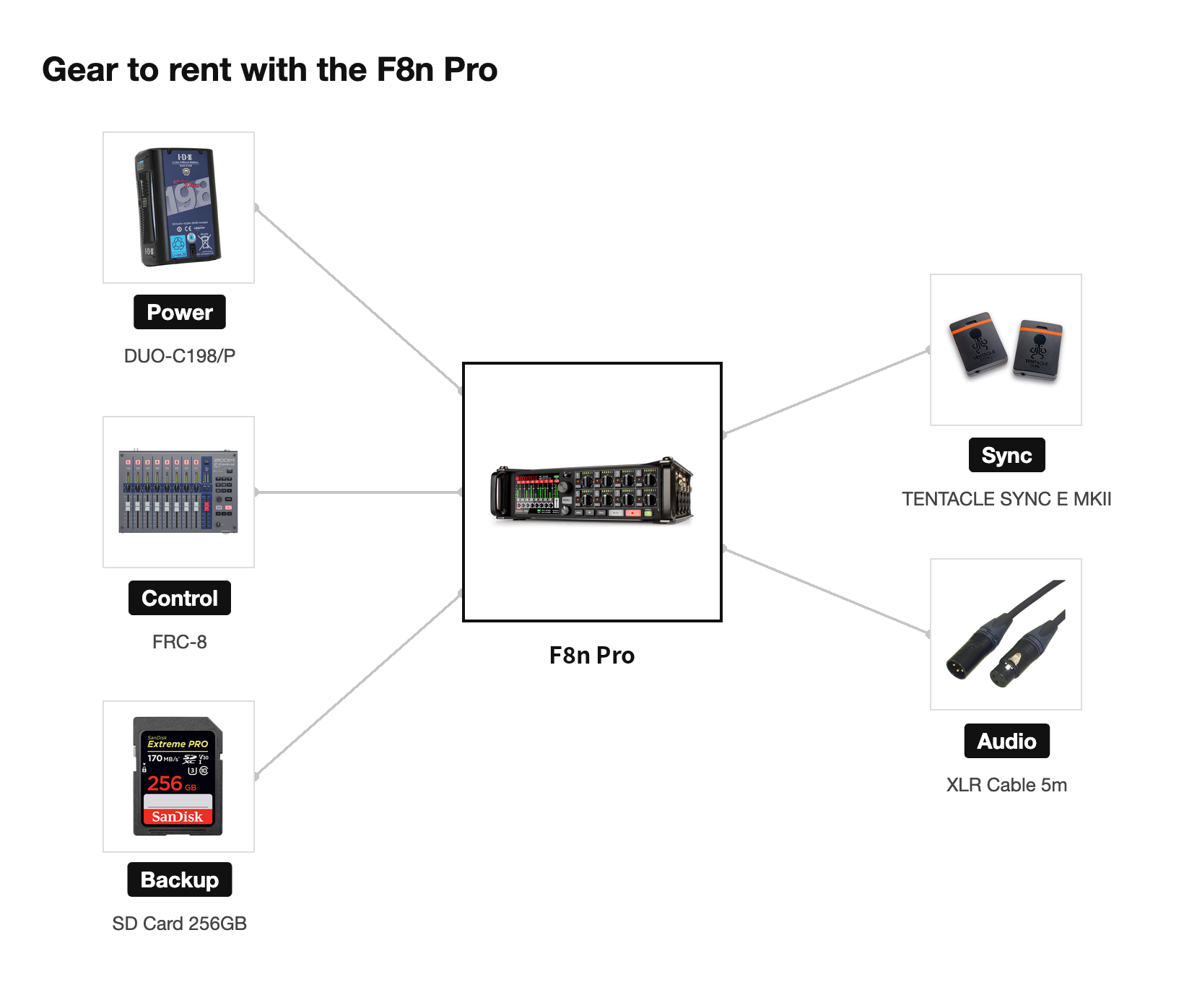
If one person runs all eight channels, ZOOM's fader controller FRC-8 [Controller for F8n] makes it easier. It has nine 60mm faders (8ch plus master) and a 12-segment LED meter on each channel. It supports the Zoom F4, F6, F8, F8n and F8n Pro, so it works with the F8n Pro as is. It runs on four AA batteries, DC 9 to 16V (Hirose) or USB bus power; on the product page, USB bus power is listed for connection to the F6 and F8n. It runs on the four supplied AA eneloop pro cells. Continuous use is up to 16.5 hours on lithium batteries.
To match timecode with the camera, use the TENTACLE SYNC E MKII. The F8n Pro handles timecode in and out on a BNC connector with 0.2 ppm accuracy, and supports Jam Sync. The Tentacle stays within one frame over 24 hours and supports 23.98, 24, 25, 29.97, 29.97DF and 30 fps. This one also cannot be shipped by air.
For the run to the mics, use the XLR Cable [BELDEN 1192A] 5m. Its star-quad shielding resists noise, and it does not hold kinks easily. All eight F8n Pro inputs are XLR/TRS combo jacks (Neutrik locking), every channel supports 48V phantom power, and each channel has its own gain knob.
Check the connection at the receiving end in advance, too. The main outputs are mini XLR (TA3). To feed the XLR inputs on a camera or PA desk, use the two supplied mini XLR (female) to XLR (male) cables. Tell us what you are connecting to, and we will check the cables and adapters with you.
Equipment featured in this article
- F8n Pro [8ch Input, Up to 10 Tracks] (ZOOM / Multitrack Field Recorder)
- DUO-C198/P (IDX / V-Mount Battery 191Wh)
- FRC-8 [Controller for F8n] (ZOOM / Fader Controller)
- SD Card 256GB [Extreme PRO UHS-I V30] (SanDisk)
- TENTACLE SYNC E MKII (TENTACLE / Timecode Generator)
- XLR Cable [BELDEN 1192A] 5m (BELDEN)
How you set up eight channels and how long the power lasts depend on the length of the shoot and the number of mics. Tell us how long you will record and which mics you will use, and we will propose a setup that covers power and the number of cards.